
Brief 7:04 AM
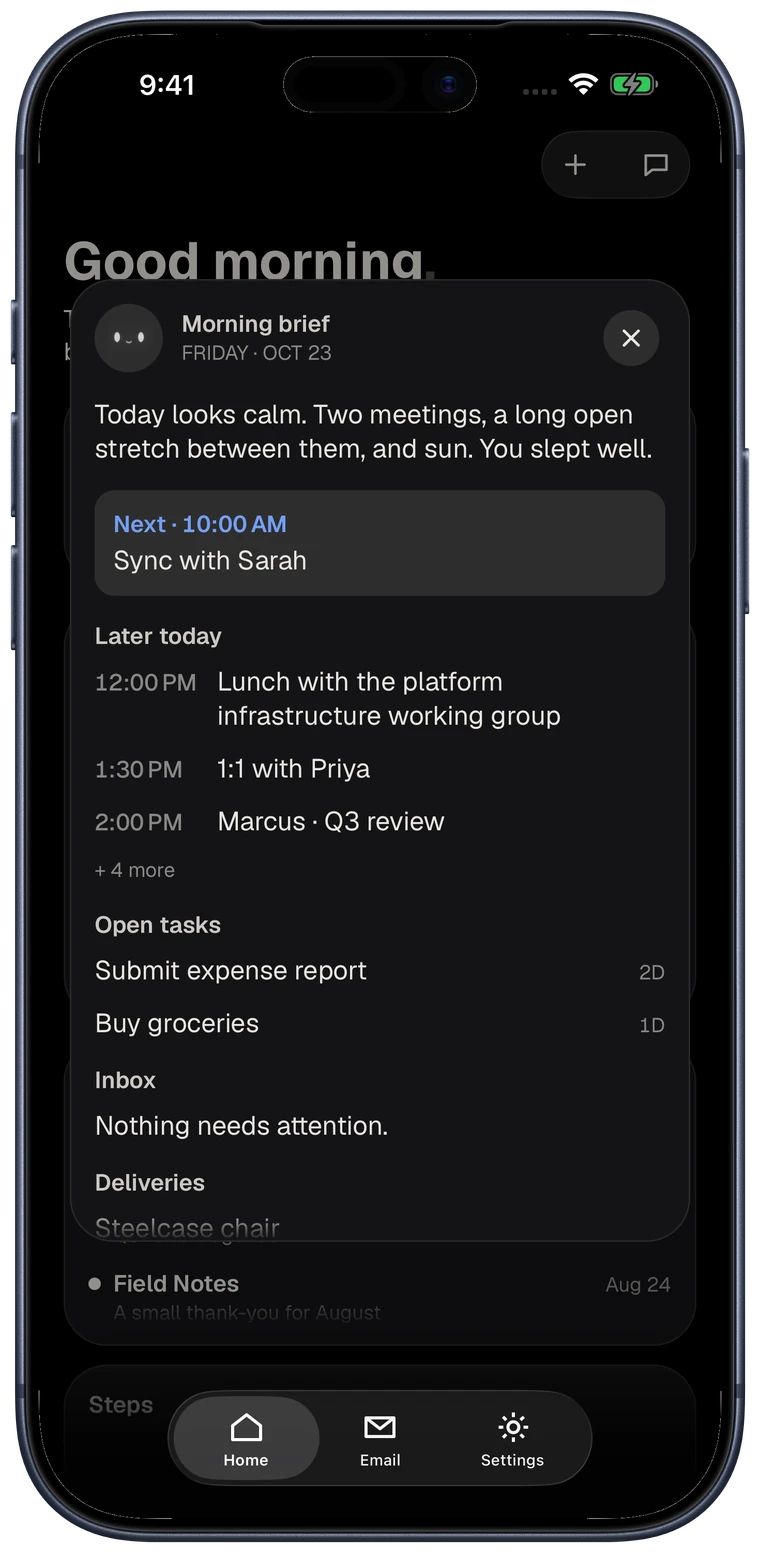
A morning brief.
What's on today, what moved, and what needs you. Short enough to read before you stand up.



New in 1.1: a fresh look, and ready for iPhone Duo
A chief of staff for your day, on one board.
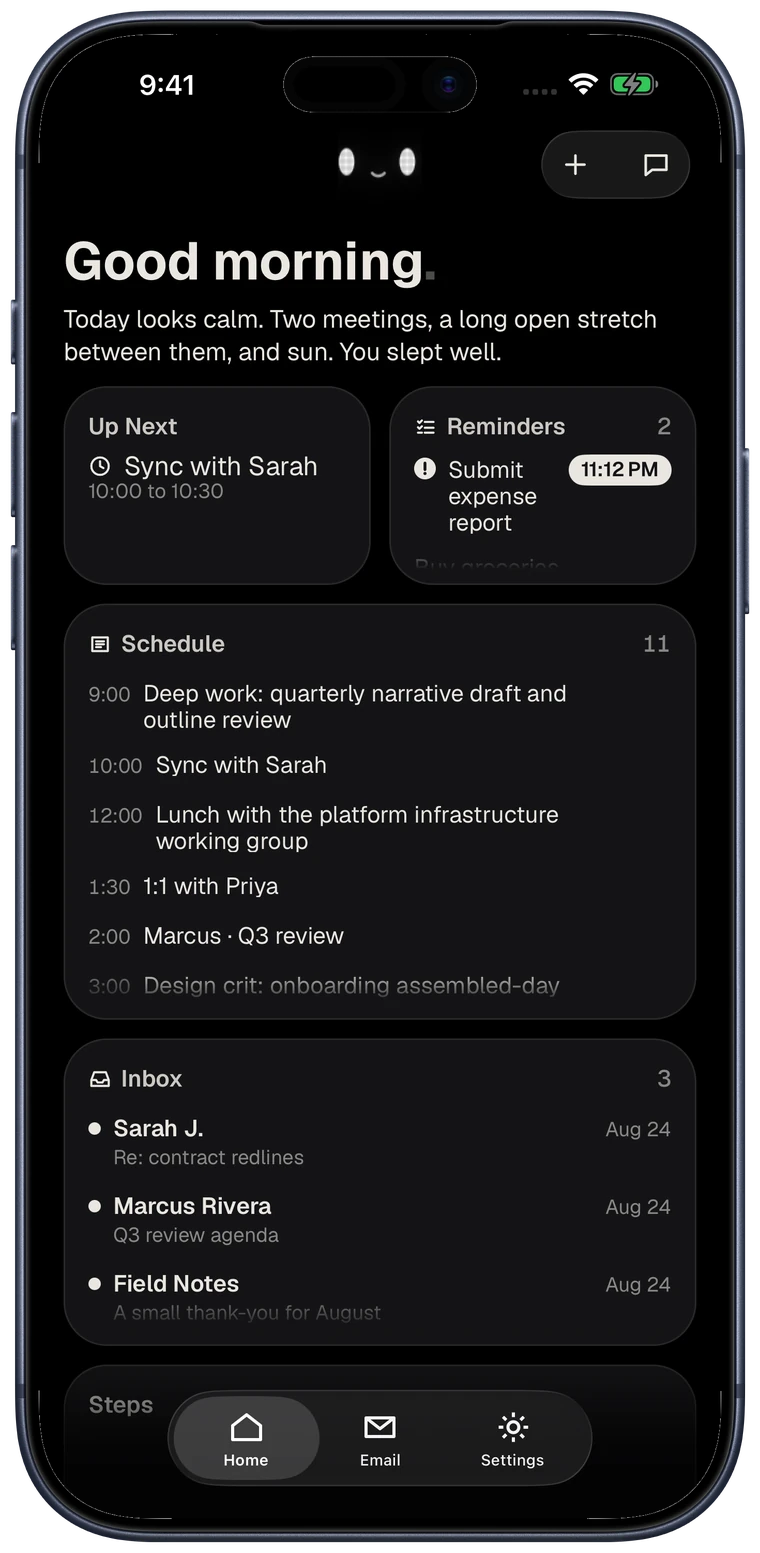
Your calendar, the mail that needs a reply, your reminders, your notes, and your health, all in one place. A morning brief before you go looking for any of it. Hold a card to move or resize it, and undo whenever you change your mind.

iPhone and iPhone Duo, iOS 18 or later. 7 days free, then $8.99 a month or $89.99 a year.
What it does
Overview
Calendar, inbox, reminders, and notes. Whatever needs you next sits up top.
Ask
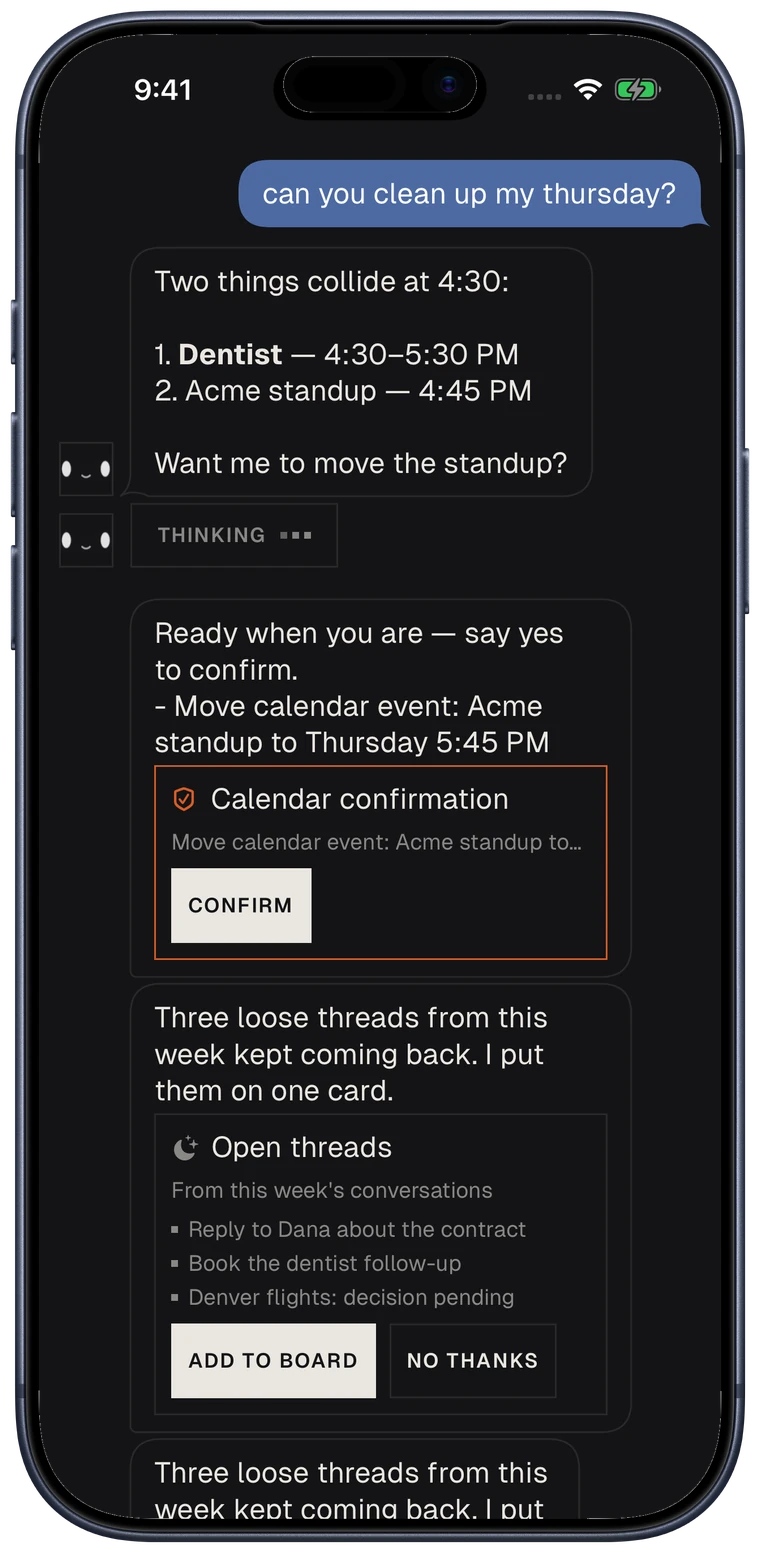
clean up Thursday
Brief 7:04 AM
What's on today, what moved, and what needs you. Short enough to read before you stand up.
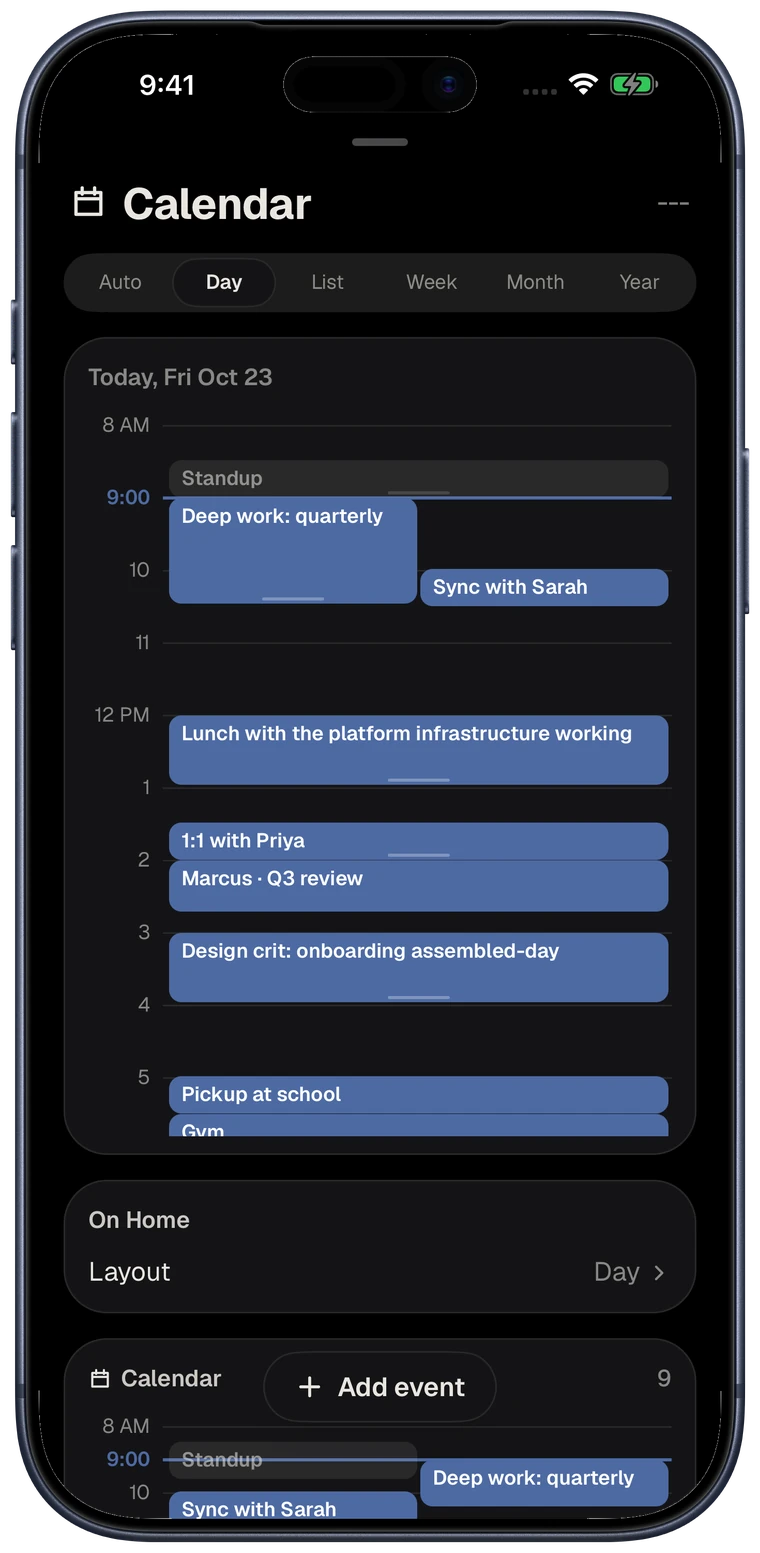
Calendar 1:30 PM
When two meetings collide, it says so. You confirm before anything moves.
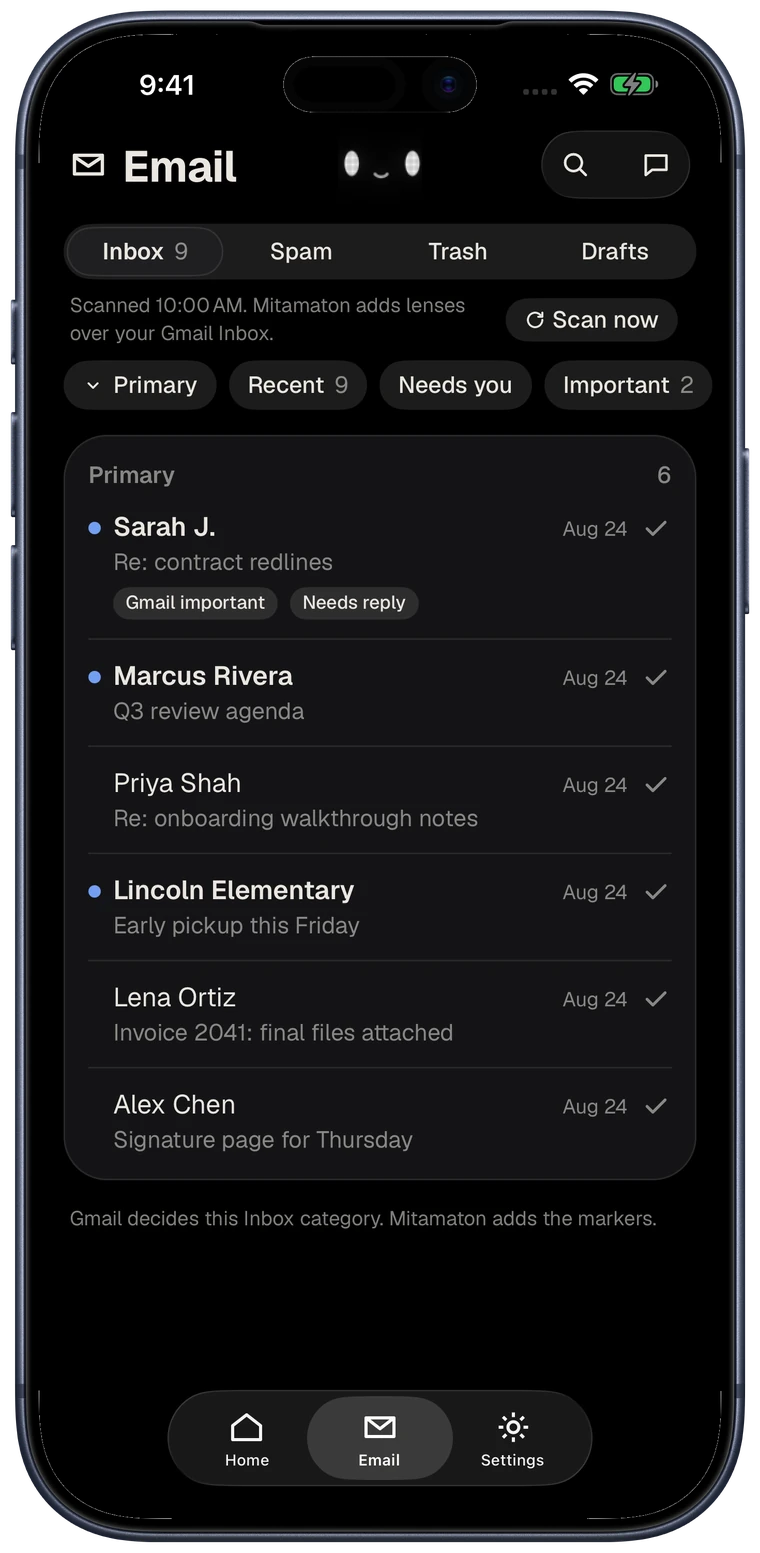
Inbox 4:52 PM
The rest stays out of the way. Reply text is a draft you copy. Gmail stays read-only.
Chat
It already has your day. Ask it to move a meeting or pull the mail that needs you.
Faces and shells
Pick a face and a shell. Swap either later. Calendar and inbox stay put.
Updates
Mitamaton is on the App Store now. Leave your email if you would rather hear about what ships next than check back here.
Download Mitamaton on the App Store
You're on the list.
We'll write when there's something worth saying.
Twelve finishes · translucent and solid












Pengu is reserved for early users. Every finish here is yours.
The first seven are translucent, so you can see the guts. The solid finishes keep Pengu's penguin colourway; only the belly tint shifts.
Your data
Mitamaton uses your information only to run the features you turn on. Nothing is sold, and nothing is used for advertising. You can disconnect any source or delete your account at any time.
Each one is its own permission. Grant them separately, take any back whenever you want.
Availability
Mitamaton is out now for iPhone and iPhone Duo, on iOS 18 or later. Download it on the App Store, or reach Justin at justin@goodmachines.ai.
Questions
Mitamaton is an iPhone app that puts your whole day on one board: your calendar, the mail that needs a reply, your reminders, your notes, and your Apple Health numbers. It writes you a short morning brief from what is actually there, and you can ask it about your week in plain language.
Mitamaton Pro starts with 7 days free, then costs $8.99 a month or $89.99 a year. Both plans unlock the same thing. Billing goes through your Apple Account, and you can cancel any time in your Apple Account settings.
Mitamaton connects Google Calendar and Gmail through Google sign-in, with scopes Google has verified, and Gmail is read only. On the phone it can also read Apple Calendar, Reminders, Contacts, and Apple Health. Every source is its own permission, you connect only the ones you want, and you can turn any of them off later in Settings.
No. Mitamaton is for iPhone, including iPhone Duo, and needs iOS 18 or later. There is no Android, web, or iPad version today.
Every morning Mitamaton reads the sources you connected and writes one short note about the day ahead: what is next, what came in overnight, and what you said you would do and have not done yet. It reads like something a person would say, not a list of rows, and it updates when the day changes underneath you.
Yes. Hold a card to enter edit mode, then drag it to move it or use the corner grips to resize it. A back arrow undoes your changes one at a time, so you can rearrange the board without committing to anything.


